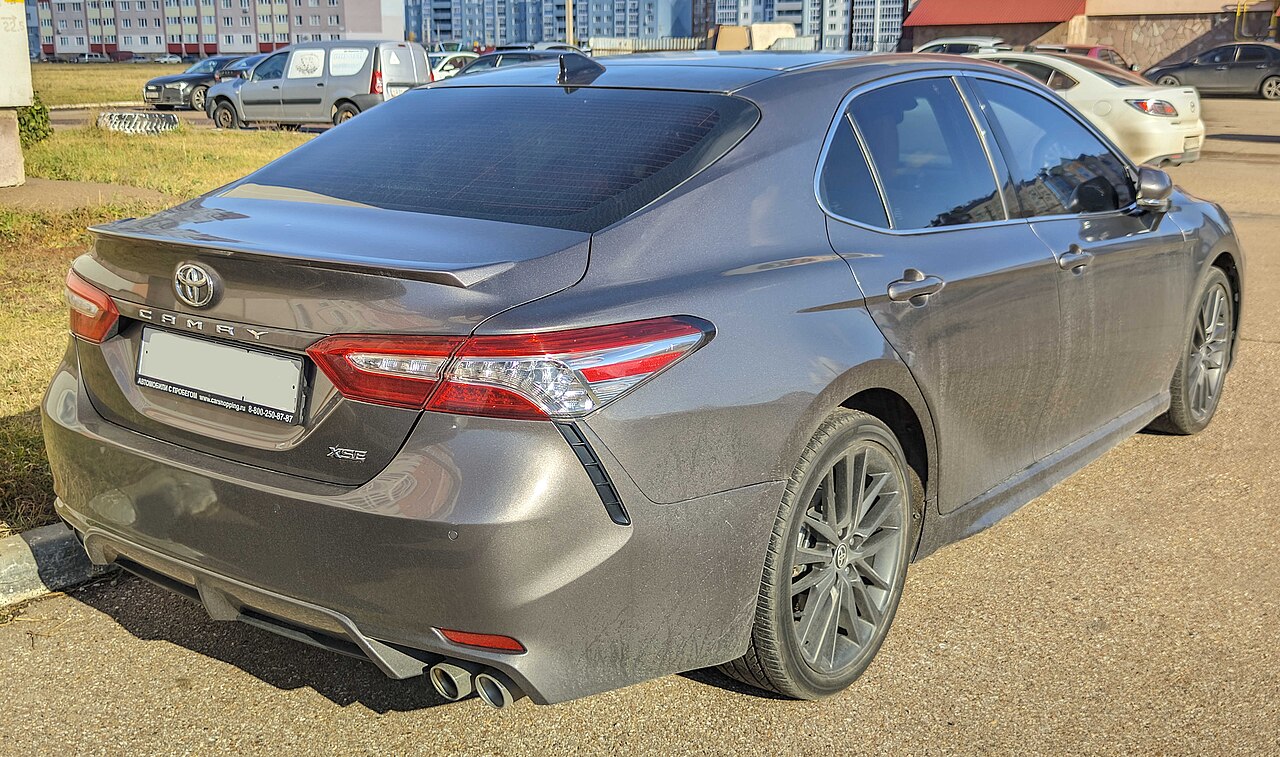
Toyota Camry Rental: What to Expect and Check at Pickup
A Toyota Camry rental can suit everyday driving and longer trips, but check the actual car’s powertrain, luggage space and controls before leaving.
The ROAM airport deskOctober 11, 20263 min read
Photo: Throwawayacc222 · CC0 · via Wikimedia Commons
You’ve picked a Toyota Camry rental, and now you’re wondering whether your bags will fit—and whether you’ll need to charge it. The useful answer: expect a practical sedan, but check the actual vehicle before you leave. Avis lists its Camry or similar category with four doors, five seats and an automatic transmission. “Or similar” matters: don’t build your plans around receiving a particular model, year or feature.
A Camry is worth considering if you want a sedan for everyday errands or a longer road trip. Five seats doesn’t tell you how comfortable your particular group will be with everyone aboard, though. If you’re traveling with several adults, child seats or bulky luggage, try your seating arrangement and load your bags at pickup. Treat a rental listing’s bag icons as a planning estimate, not a promise that your suitcases will fit.
The model year makes a difference. Toyota’s 2025 Camry brochure describes an all-hybrid lineup, while Kelley Blue Book’s 2023 Camry page lists gasoline four-cylinder and V6 options. That’s why you shouldn’t assume every Camry you’re handed has the same engine or fuel economy. Ask which version you’ve received; Toyota’s advertised rating of up to 51 mpg combined for the 2025 model isn’t a guarantee for your car or trip.
A regular hybrid still uses gasoline; it is not a battery-only electric car. Confirm the fuel type and recommended grade from the actual vehicle’s label or manual, then check the return-fuel requirements in your rental agreement. Ask staff if you are unsure rather than guessing from the quiet engine.
Take a few parked minutes to get comfortable with the controls. Adjust your seat and mirrors, then locate the headlights, wipers, hazard lights, climate controls, defroster and parking brake. Ask staff to demonstrate starting and shutting down the car if anything is unfamiliar, particularly how to confirm a hybrid is ready to drive. If you plan to use cruise control or other driver-assistance features, have those explained before you enter traffic.
Set up navigation while you’re still parked. Toyota’s Apple CarPlay guide explains that compatible systems can put iPhone directions, calls and music on the vehicle’s multimedia display. Don’t assume your assigned car supports your preferred connection method: bring your charging cable and test the connection before pulling away. Set your destination and audio volume now, and remember to remove your paired phone and saved destinations before returning the car.
Check practical details as well as the dashboard. Open the trunk, test your luggage arrangement and ask how the rear seats fold if you need extra room—don’t assume a feature shown on a current Toyota comparison page is present in your rental. Photograph existing damage and the dashboard’s fuel level, and get unexplained warning lights or equipment problems addressed before leaving. If the assigned car doesn’t meet your needs, raise that with the rental desk before accepting it.
Before your trip, review the rental provider’s requirements for your license, payment method and any additional drivers, and keep the agreement and roadside-assistance contact accessible. At pickup, your best next step is simple: confirm the actual car, test the things you’ll use, and resolve any mismatch before heading out.
Keep reading