Renting a Chevrolet Blazer: What to Check Before You Drive
Renting a Chevrolet Blazer can suit a small group with bags, but check the actual vehicle’s space, controls and fuel requirements before leaving the lot.
The ROAM airport deskOctober 11, 20263 min read
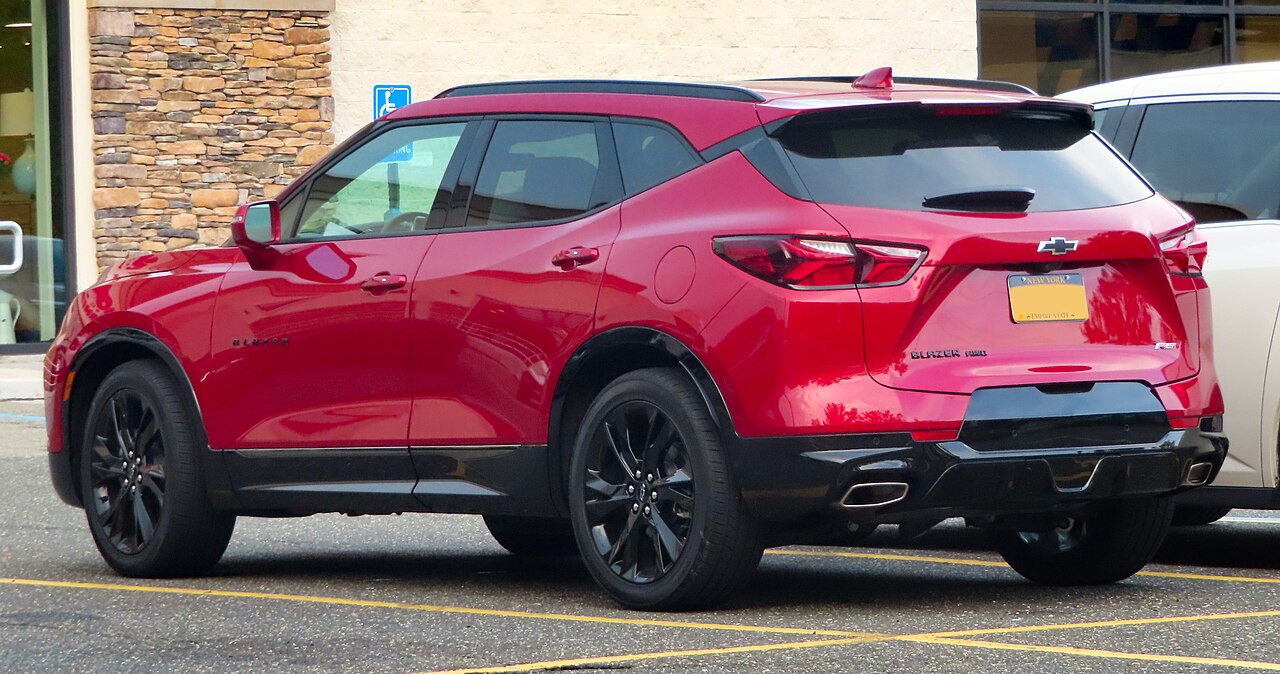
Photo: Kevauto · CC BY-SA 4.0 · via Wikimedia Commons
You’ve booked an SUV, and the listing says Chevrolet Blazer “or similar”—will it work for your trip? The gasoline Blazer is a two-row, five-seat SUV if that is the vehicle you receive. Manufacturer size descriptions and rental tiers are different, so check the class on your actual offer. It is worth considering for a couple, family or small group, but it is not a three-row people mover. “Or similar” means you should prepare for the assigned vehicle, not count on a particular model or trim.
Start with people and bags, not the SUV label. Kelley Blue Book describes the Blazer as roomy for passengers but less generous with cargo space than some rivals. With all five seats occupied, you can’t count on folding the rear seats to make room. Before you leave, load your actual luggage, check everyone’s seating position and make sure the liftgate closes without forcing it. If the fit doesn’t work, ask the rental desk about alternatives before heading out.
Don’t assume the newest Blazer’s equipment matches your rental. Chevrolet’s 2026 information lists different engines and trim-dependent features, including an available power liftgate, while Car and Driver lists both front-wheel-drive and all-wheel-drive versions. All-wheel drive sends power to all four wheels, but you shouldn’t infer it from the badge or SUV shape alone. If it matters for your route, ask staff to confirm what your assigned vehicle has.
Give yourself a parked-car orientation before joining airport traffic. Adjust the seat and mirrors, then locate the gear selector, parking brake, headlights, wipers, hazard lights and front and rear defogging controls. Check how to open the fuel door and liftgate, too. If a control or dashboard warning is unfamiliar, ask an employee to explain it and use the manual for that model year rather than guessing.
Set up your phone while you’re still parked. Chevrolet’s 2025 Blazer quick-reference guide describes Bluetooth or USB connections and Apple CarPlay and Android Auto capability with compatible phones. Bring a charging cable, check the actual ports and test your navigation audio before leaving. Don’t assume your rental supports the same connection method as your own car. Before returning it, remove your paired phone and saved destinations.
This guide covers the gasoline Blazer: it needs refueling, not a charging stop. Check the vehicle’s fuel label and manual for the required grade rather than choosing by engine badge. Confirm the rental company’s fuel-return requirement, photograph the starting gauge and plan a convenient refueling stop near the return location. If you’re offered an electric vehicle instead, get its charging instructions and return-charge requirement before accepting it.
Before driving away, photograph the exterior, wheels, glass and cabin, and have existing damage documented by the rental company. Keep the rental company’s assistance number handy. If you find a persistent warning light, a luggage problem or equipment you don’t understand, return to the desk while you’re still on site; ask staff to resolve it or discuss another vehicle.
Bring the documents your rental provider requires and leave a few minutes in your schedule for pickup checks. Confirm passenger space, luggage, fuel and phone setup before driving away.
Keep reading