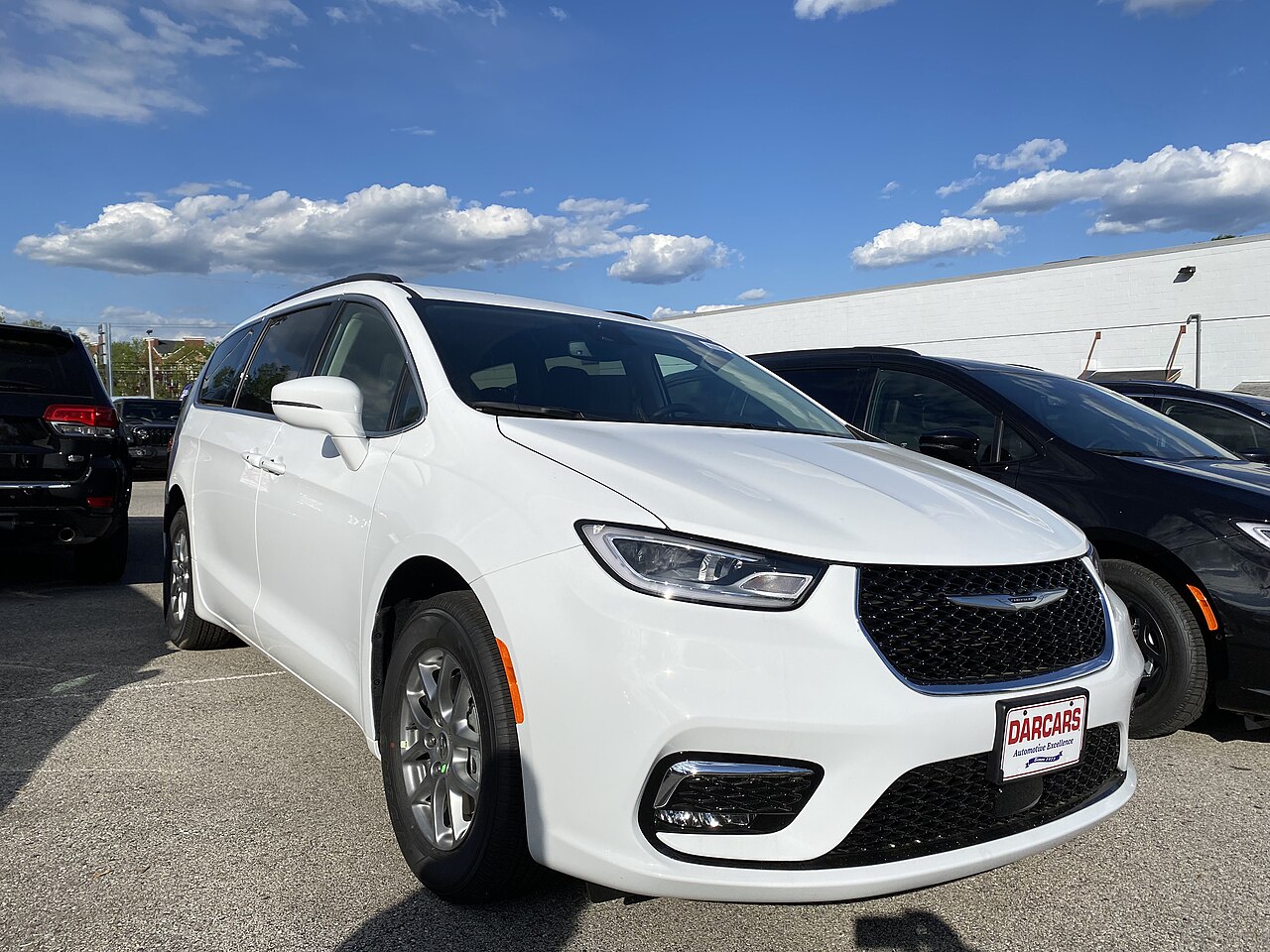
Chrysler Pacifica Rental: What to Check Before You Drive
A Chrysler Pacifica rental can suit a family or group, but check the actual seat count, luggage space and powertrain before leaving the lot.
The ROAM airport deskOctober 11, 20263 min read
Photo: CZmarlin — Christopher Ziemnowicz — photo credit is required if this image is used anywhere other than Wikipedia. · CC BY-SA 4.0 · via Wikimedia Commons
You’ve got a group, a pile of bags and one big question: will a Chrysler Pacifica rental work for everyone? It’s a sensible minivan to consider for families or friends traveling together, with seven- or eight-seat configurations—but you need to check the van you’re actually given. Treat “Chrysler Pacifica or similar” as a vehicle category, not a promise of that model, an eighth seat or particular features.
Start with people, then bags. Chrysler lists available seating for up to eight in the 2026 Pacifica, while equipment varies by version. If you need eight seats, ask the rental company to confirm your seating requirement before travel and count the seats and seat belts at pickup. Load your luggage with every needed seat upright before accepting the vehicle; a published maximum cargo figure won’t tell you whether your group’s bags fit behind the last row.
Sliding doors and flexible seating make the Pacifica worth considering when you’re loading passengers frequently. Gas models offer Stow ’n Go seats that fold into the floor, which can help when you have fewer passengers and more gear. Don’t assume every rental version has the same folding arrangement. Ask for a demonstration, and check that any seat you’ll use is back upright and securely latched. If a seat won’t move easily, get staff help rather than forcing it.
Give yourself a parked orientation before joining airport traffic. Locate the gear selector, parking brake, lights, wipers and hazard switch, then adjust your seat and mirrors. Ask staff to demonstrate the sliding doors and liftgate, including any powered controls fitted to your van. Set the front and rear climate controls, test the navigation or phone connection you plan to use, and check how to clear the windshield. If an unfamiliar warning stays on, have it explained before you leave.
Confirm the powertrain instead of guessing from the Pacifica name: the supplied model information includes both gas and hybrid versions. For a gas van, check the fuel-door instructions or owner’s manual for the required fuel and locate the filler before your first stop. If you’re offered a hybrid, ask whether charging applies to that vehicle; if it does, have staff show you the connection and explain any supplied equipment. Get the fuel and any charge-return requirements clarified in your rental agreement.
For rough fuel planning, published figures for the 2024 gas Pacifica are 22 mpg combined with front-wheel drive and 20 mpg with all-wheel drive. Those are reference figures, not a guarantee for your rental or trip. All-wheel drive is available, not universal, so verify it if it matters to your plans. Leave time for your return-day fuel stop rather than relying on a last-minute search near the airport.
Before departure, photograph the exterior, interior, dashboard fuel reading and any existing damage. Bring any child seats your group needs unless you’ve made a separate arrangement, and check their installation using the child-seat instructions and vehicle manual. If the assigned van lacks the seats or usable luggage room you need, speak to the rental desk before driving away.
Make your final check with the whole group’s setup in place: passengers have usable seats and belts, luggage is secured without blocking your view, and you know how the doors and essential controls work. Save the rental company’s assistance number and confirm the return instructions. A few extra minutes in the pickup space are easier than discovering a seat-folding puzzle at your first stop. A few extra minutes in the pickup space are easier than discovering a seat-folding puzzle at your first stop.
Keep reading